See the change
every week.
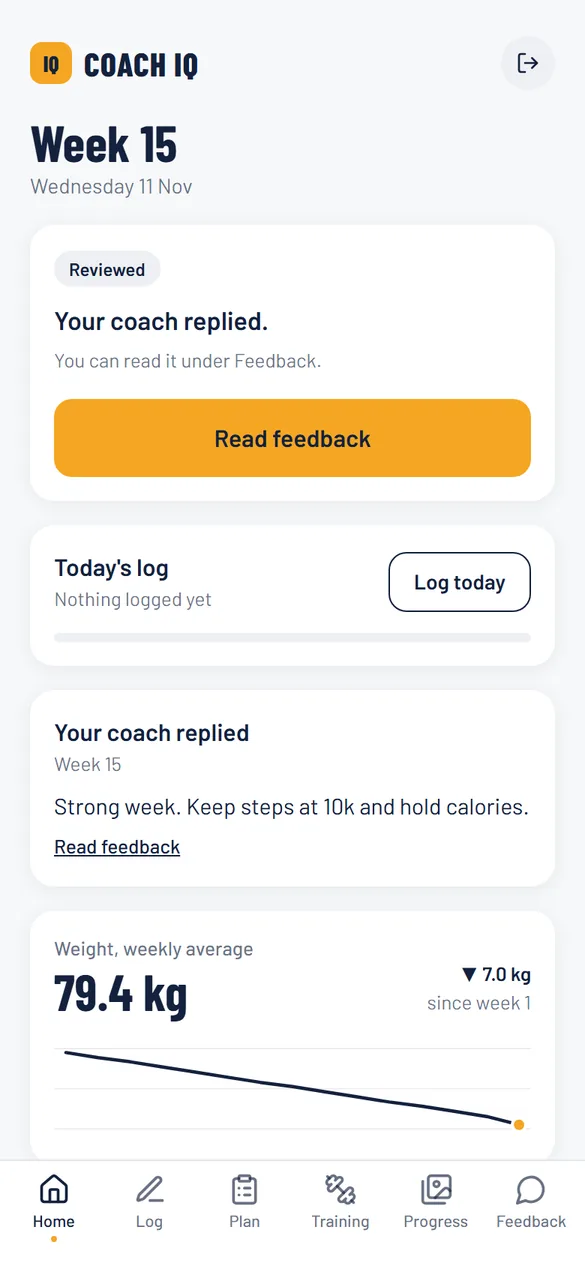
Log your day in a minute. Send your weekly check-in with photos. Your coach compares every week side by side and tells you what changes next.
New here? Open the invite link your coach sent you to set up your account.
How it works
Three habits. The app does the sums so your coach can spend their time on you.
Weight, sleep, steps, training and how you feel. Tap, type, save. About a minute.
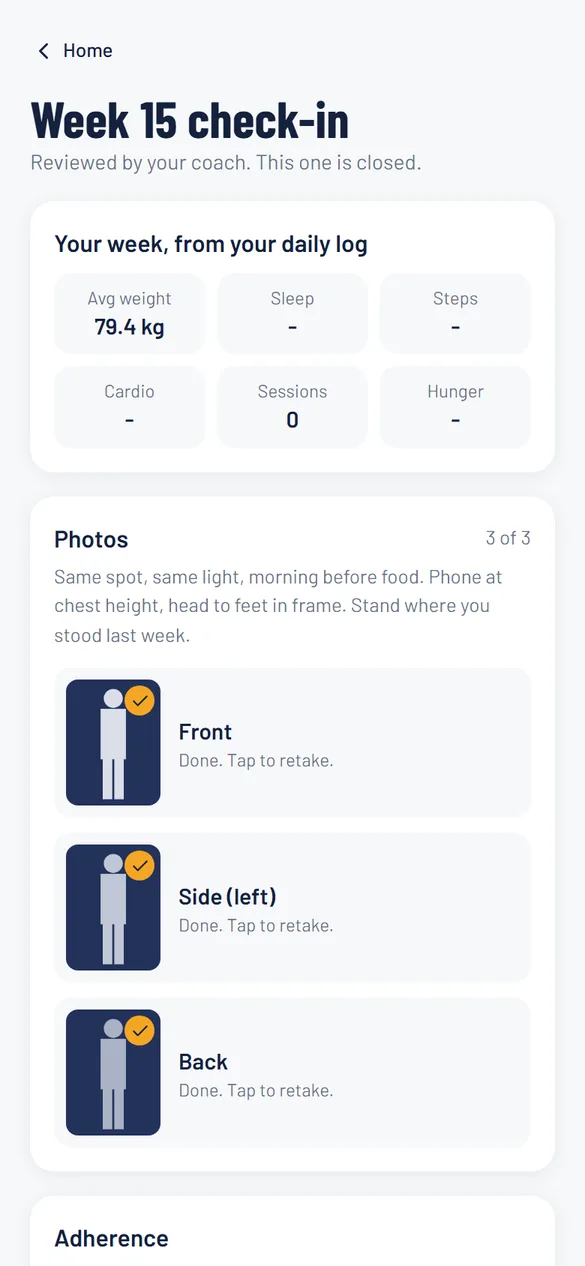
Front, side and back photos and a few questions. Your week's averages fill in from your log.
They review your photos next to your numbers and reply with what changes next week.
Photos that line up, week after week.
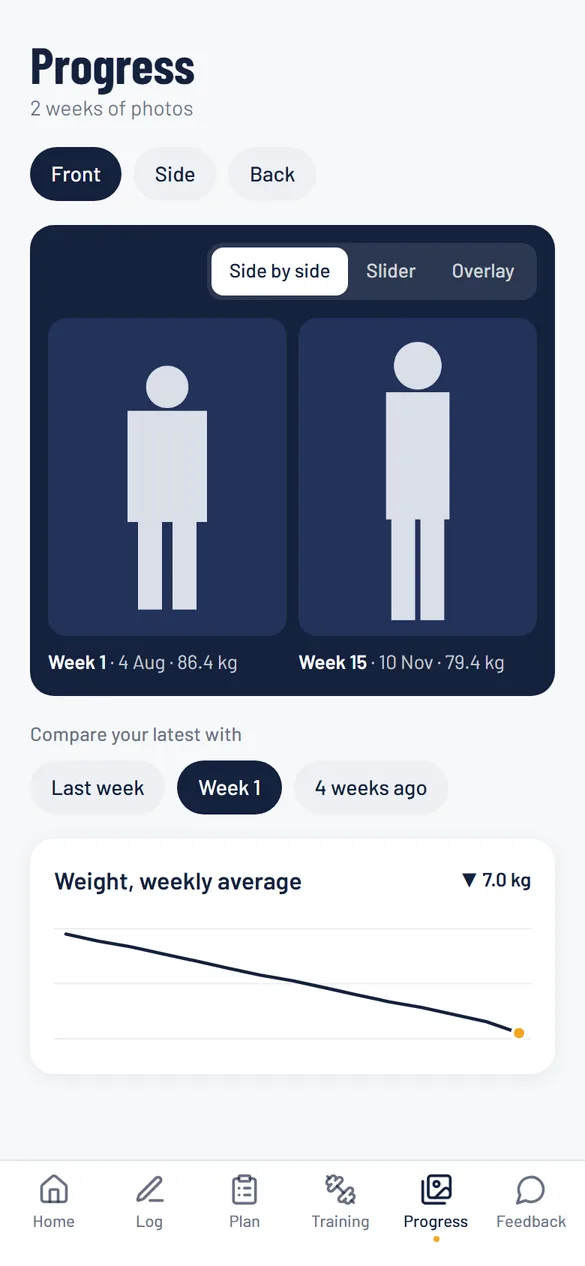
The scale tells part of the story. Photos tell the rest, as long as you can compare them properly.
- Front, side and back
Plus any extra poses your coach asks for. Last week's photo sits beside each pose as a guide.
- Three ways to compare
Side by side, with a slider, or one over the other. Against last week, week 1 or a month ago.
- Next to your numbers
Each photo carries its week and weight, and your trend sits right under it.
Your plan for today, always current.
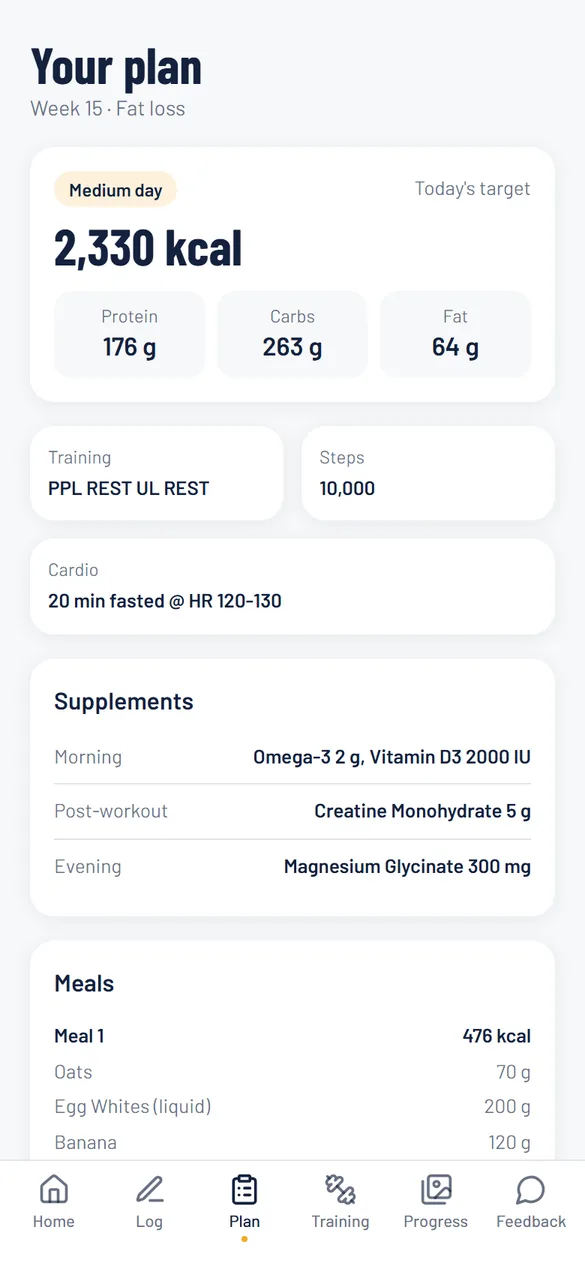
When your coach changes something, it is on your phone straight away. No more digging through old messages.
Calories and macros for today's day type, and your meals in grams.
Your program by day. Log your top set after each session.
Everything else your coach set for the week, in one place.
Every reply from your coach, week by week.
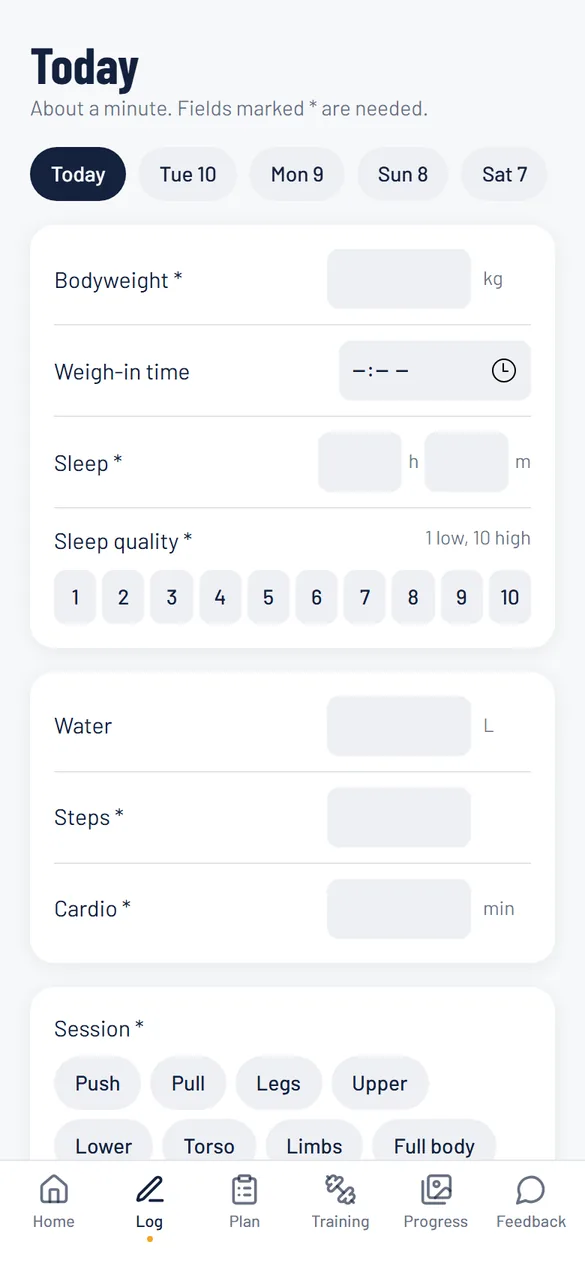
Your photos stay private.
Never public, never shared with other clients, never used for ads.
Location and camera details are removed before a photo uploads.
Each photo opens through a link that stops working after 10 minutes.
Ask at any time and your data and photos are deleted.
Read the privacy policy.
Add Coach IQ to your home screen from your phone's browser. It opens full screen with one tap, on Android and iPhone.
Built by a coach, for the weekly check-in.
Spend your review time on judgement, not on spreadsheets and scrolling back through chats.
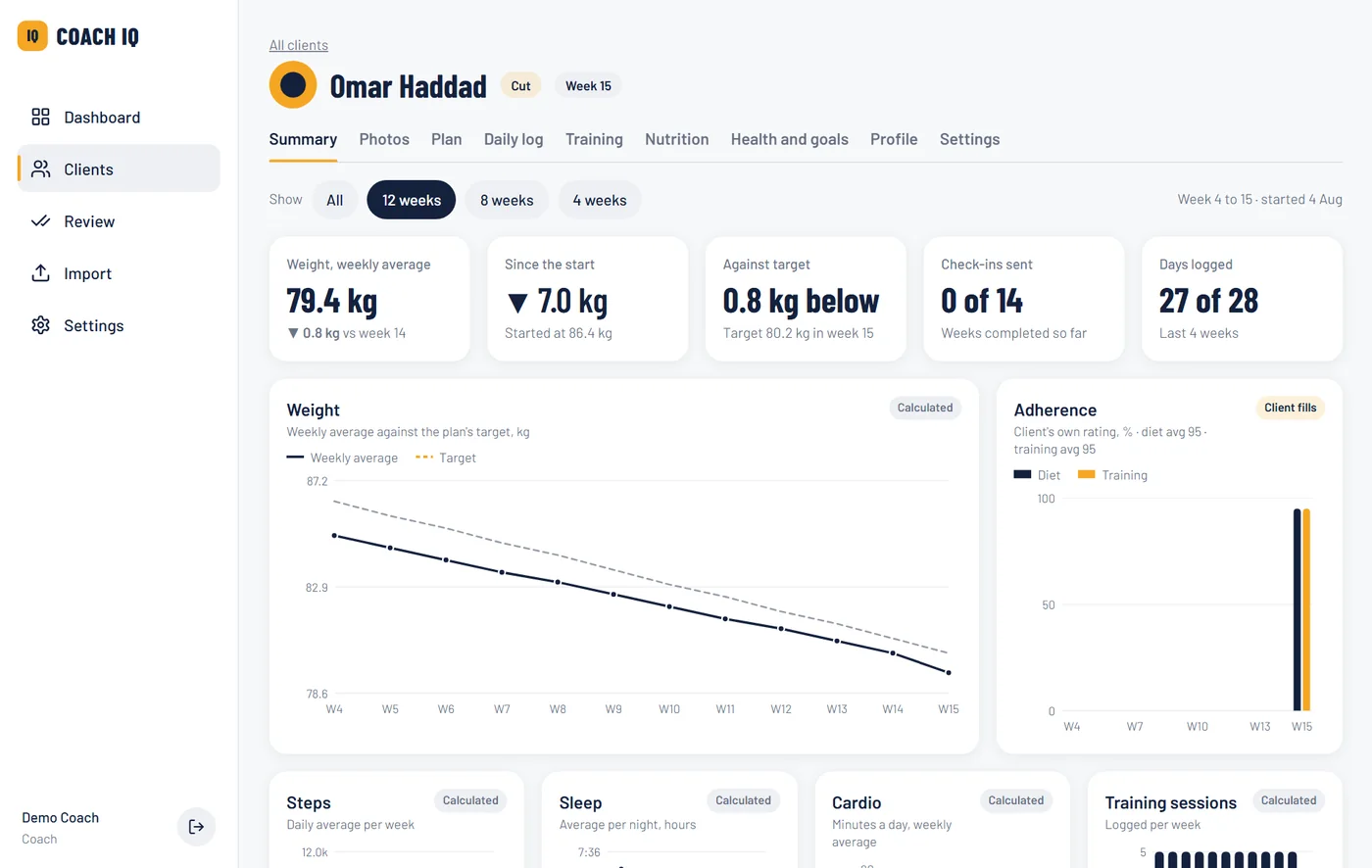
Oldest first, with photos next to the week's numbers and the client's answers. Reply and move to the next.
Missed check-ins, off target two weeks running, low sleep, low adherence. You set the thresholds.
Weight against target, adherence, steps, sleep and how they feel, over the weeks you pick.
Phases, foods, exercises, supplements and fields are yours to edit. Save setups as templates.
Import old daily logs from Excel and add older photos to any past week.
Notes and photo alignment only you can see.
Got an invite from your coach?
Open the link they sent you. You choose a password and you are in.